A CMS you’ll actually enjoy using

A CMS you’ll actually enjoy using

Your website should be easy to keep fresh. We set up a content management system around the way your business works, so adding news, projects, team members or services takes minutes, not a call to a developer.

Your website should be easy to keep fresh. We set up a content management system around the way your business works, so adding news, projects, team members or services takes minutes, not a call to a developer.

Out-of-date content costs you trust

Out-of-date content costs you trust

Old news, missing projects and last year’s prices make a business look like it’s stopped trading. Usually it’s because updating the site is too fiddly, so nobody does it.


A well-set-up content system changes that. Pages, projects, news and team members each get a simple form, so adding something new takes minutes, not a call to your web designer. The design stays consistent, whoever is making the update.

If it’s easy to update, it gets updated.

Web developer developing a website

What does CMS setup include?

What does CMS setup include?

Content planning

Content planning

Working out what you’ll publish and how often, so the CMS fits real use.

Collection setup

Collection setup

Structured content types for blogs, projects, services, team and more.

Content migration

Content migration

Moving existing pages, posts and images across from your old site.

Templates

Templates

Page templates that keep every new entry looking consistent.

Training

Training

A walkthrough and short video guides so your team feels confident.

Ongoing support

Ongoing support

Help on hand when you want to add something new.
How it works

How it works

01

Talk

A no-obligation call about what you publish and who keeps it updated. We’ll look at how updates happen today and what’s making them harder than they should be.

Talk

A no-obligation call about what you publish and who keeps it updated. We’ll look at how updates happen today and what’s making them harder than they should be.

02

Plan

A content model that matches your business and your workflow. Projects, news, services and team members each get the fields they need, and nothing they don’t.

Plan

A content model that matches your business and your workflow. Projects, news, services and team members each get the fields they need, and nothing they don’t.

03

Build

Collections, templates and migrated content, ready to use. New items drop straight into the design, so every page stays consistent without extra effort.

Build

Collections, templates and migrated content, ready to use. New items drop straight into the design, so every page stays consistent without extra effort.

04

Train

A hands-on session so your team can update the site with confidence. You’ll also get a short written guide to refer back to whenever you need it.

Train

A hands-on session so your team can update the site with confidence. You’ll also get a short written guide to refer back to whenever you need it.

Project review

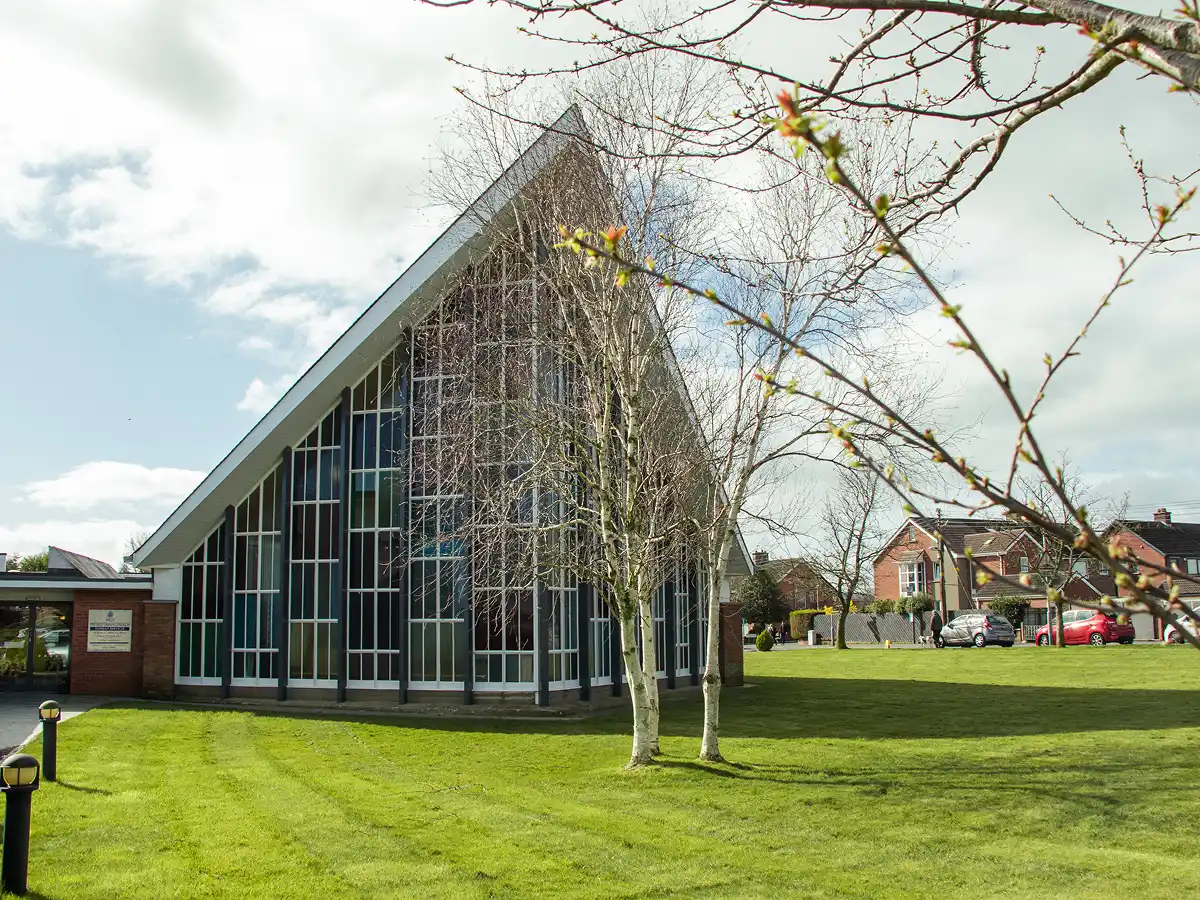
A busy church website, easier to keep up to date

A busy church website, easier to keep up to date

West Church Bangor has two locations, multiple Sunday services, active ministries and a busy programme of community events. Its website needs to keep pace with church life. We set up a clear, easy-to-use CMS so the team can manage content themselves, keeping news, events and service information current without needing a developer for every change. A consistent structure keeps updates straightforward for the team and helps visitors find the information they need.

West Church Bangor has two locations, multiple Sunday services, active ministries and a busy programme of community events. Its website needs to keep pace with church life. We set up a clear, easy-to-use CMS so the team can manage content themselves, keeping news, events and service information current without needing a developer for every change. A consistent structure keeps updates straightforward for the team and helps visitors find the information they need.

"Glenn is very approachable and listens to the problems you have with your website. He brought clarity and structure to our website when we were struggling to understand what we needed. And the CMS is so easy to use!"
Smiling woman in black and white portrait

Cheryl Miller

Frequently asked questions

What is a CMS?

Which CMS do you use?

Will you train me to use it?

Can you move content from my old website?

What if I get stuck later?

Glenn Drain Creative Director profile image

Tell us about your project & we’ll take it from there

It starts with a no-obligation chat about your business and what you need the website to do.

Glenn Drain Creative Director profile image

Tell us about your project & we’ll take it from there

It starts with a no-obligation chat about your business and what you need the website to do.